

Confirm Identity With
Biometric Face Recognition
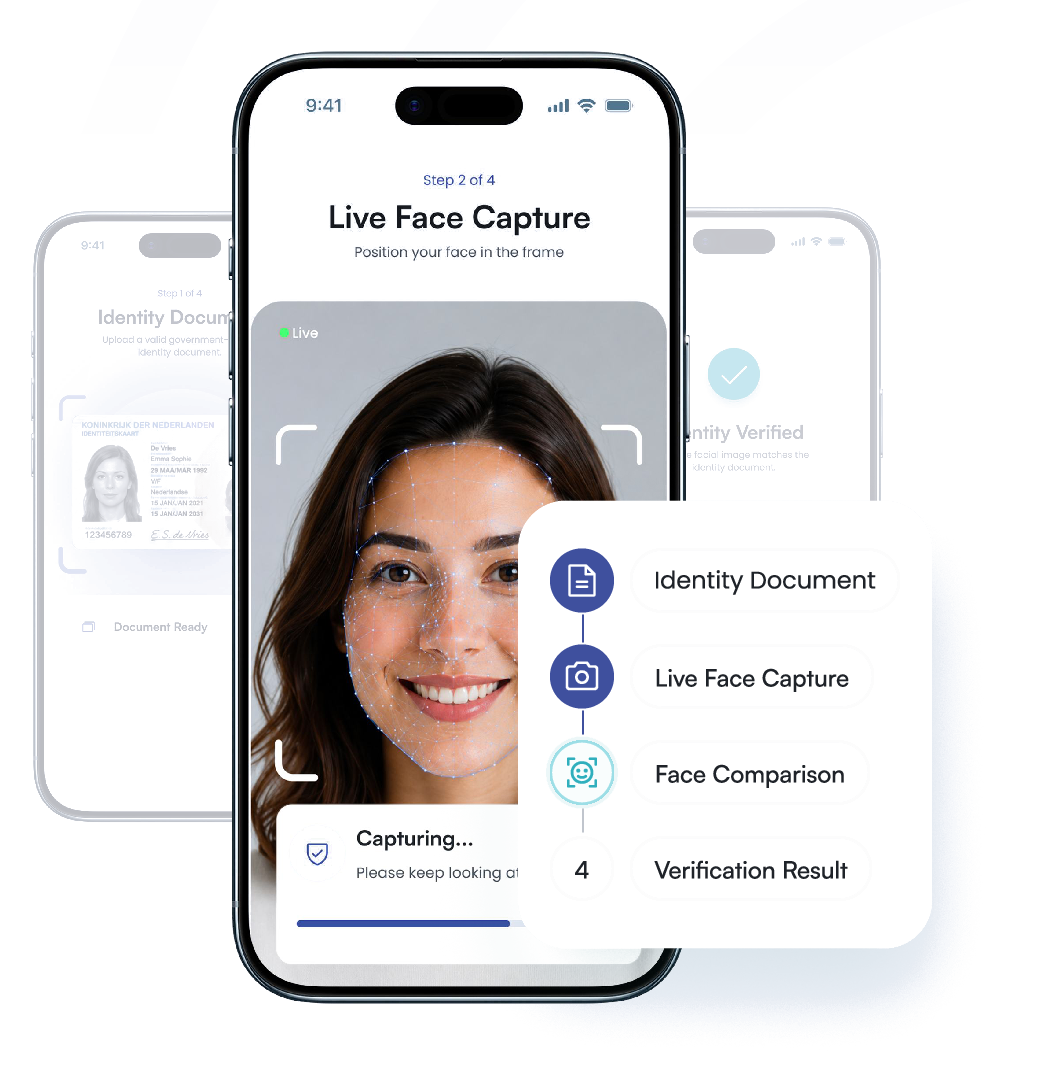
Match a live facial image with the portrait on an identity document to
reduce impersonation risk across onboarding, account access, and high-
risk actions. Use facial biometric verification as one layer within a broader
identity verification workflow.
- Document-to-selfie matching
- Active or passive liveness
- Desktop and mobile capture
- API and webhook results







Identity Verification at Proven Scale
Support identity decisions with an established verification platform built for high-volume customer journeys.

Why Biometric Face Recognition Matters

A valid ID can mislead.
The wrong person may still present a genuine identity document. Face matching connects the individual in front of the camera with the portrait on the document.
- Stolen identity use
- Document sharing
- Remote impersonation

Credentials cannot confirm the person.
Stolen passwords or account details may give an attacker access to a returning user’s journey. Face verification adds an identity check before recovery, re-access, or sensitive actions.
- Account takeover
- Recovery abuse
- Unauthorized re-access

A captured face may be fake.
- Printed photo attempts
- Replayed video
- Synthetic presentations
How Biometric Face
Recognition Works
okID guides the user through identity capture, liveness checking, facial comparison, and result delivery within the verification flow configured by your business.
 Step 01
 Step 02
 Step 03
 Step 04Step 01
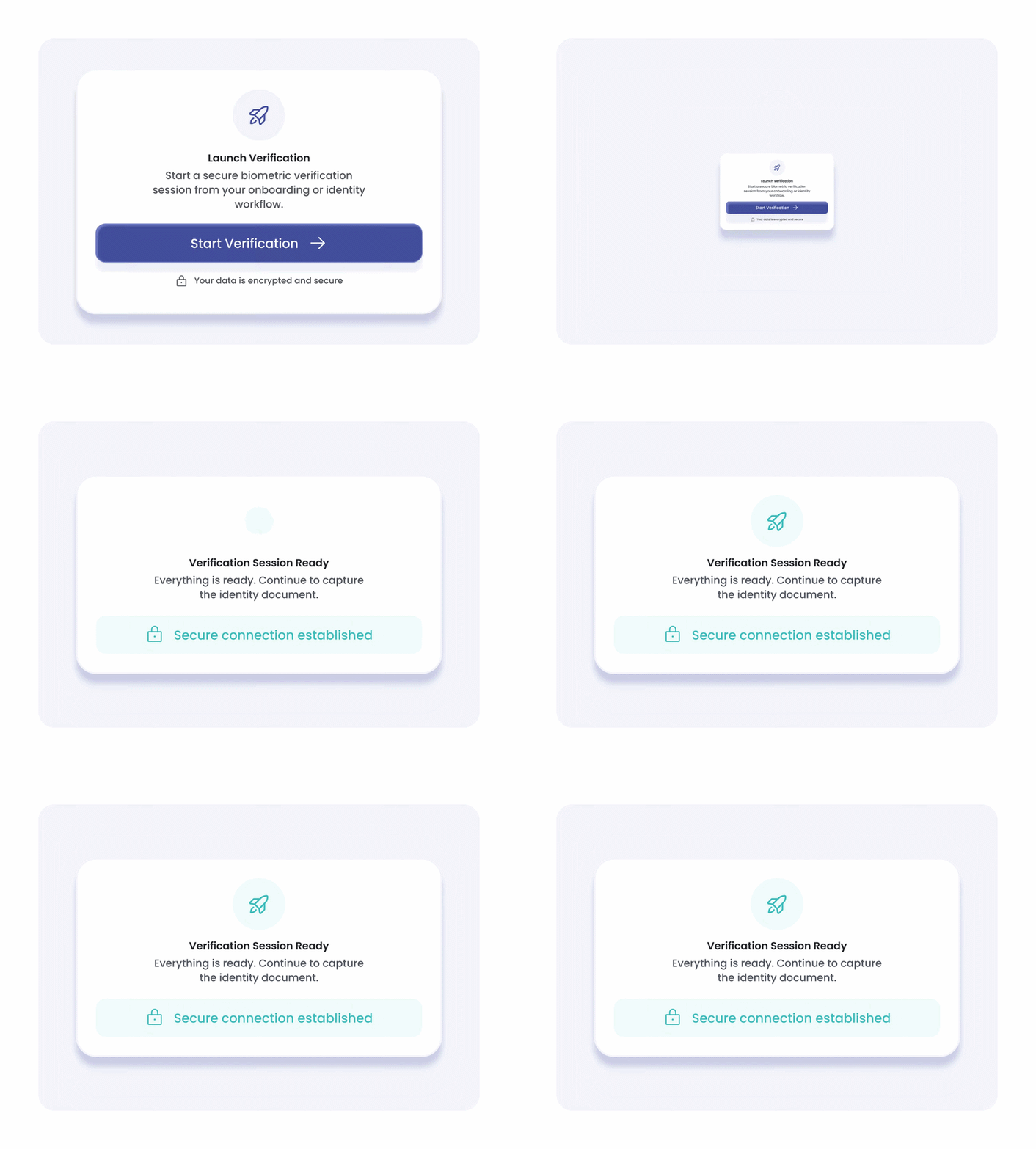
Launch the Verification
Securely create a verification session from your server and open the hosted journey via a modal, iframe, direct redirect, or mobile flow.
 Step 02
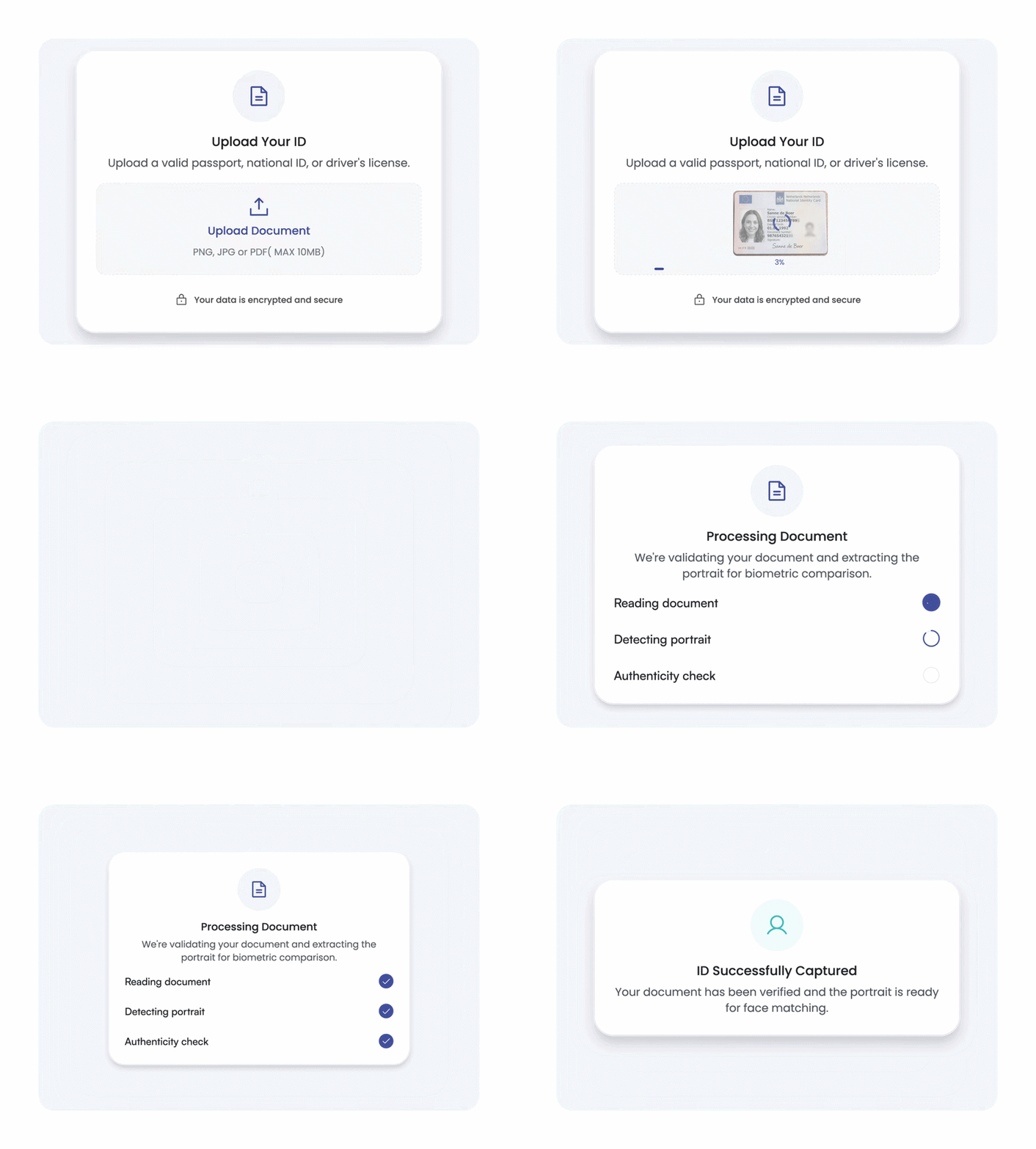
Capture the ID Portrait
The user submits an identity document. Its portrait provides the trusted reference for the one-to-one facial comparison.
 Step 03
Capture and Match the Face
The user takes a live selfie. Liveness checks assess real presence, while face matching compares the selfie with the document portrait.
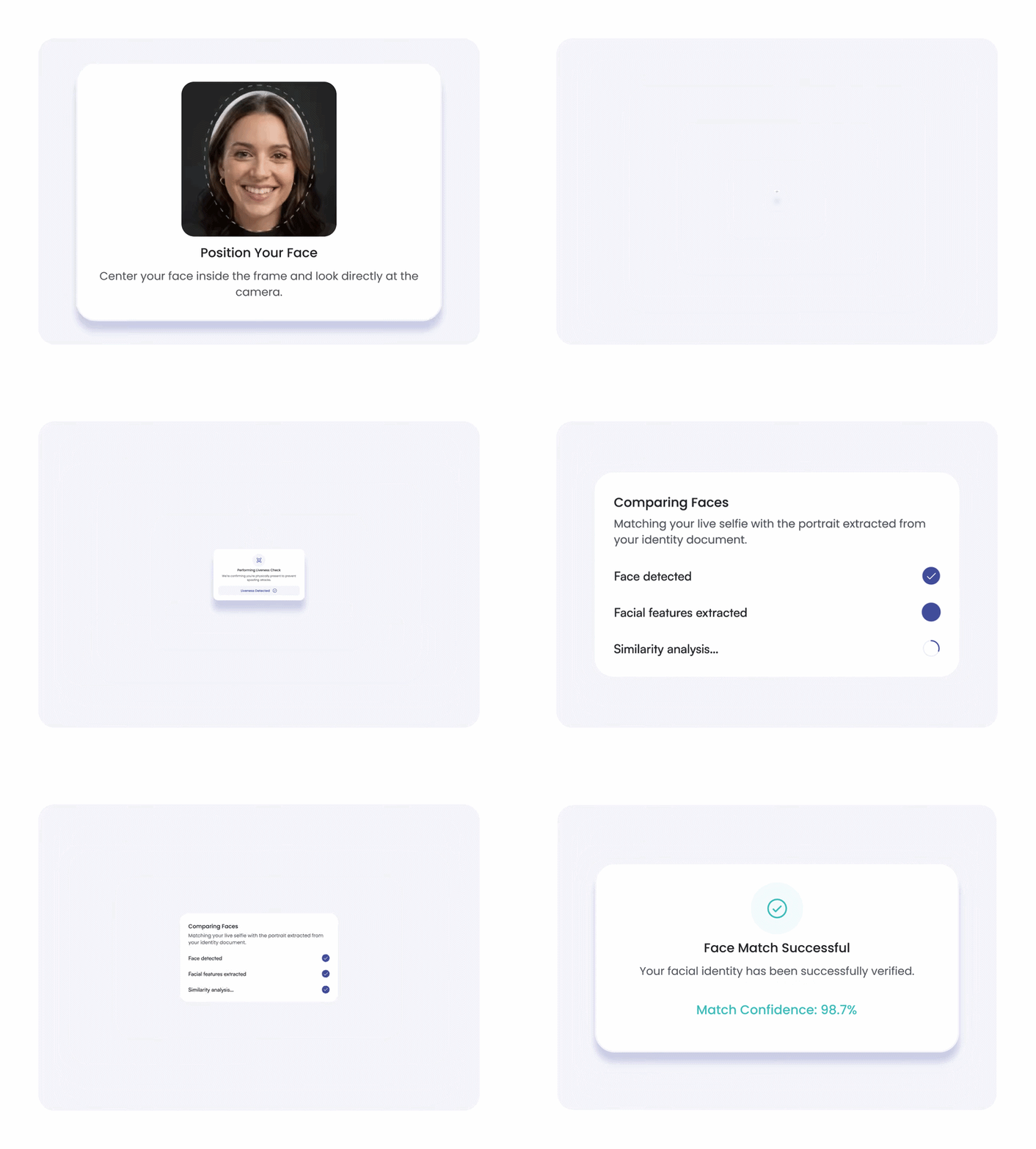 Step 04
Return the Verification Result
Receive the final status and module results through the API, webhook, or okID dashboard for your next business decision.
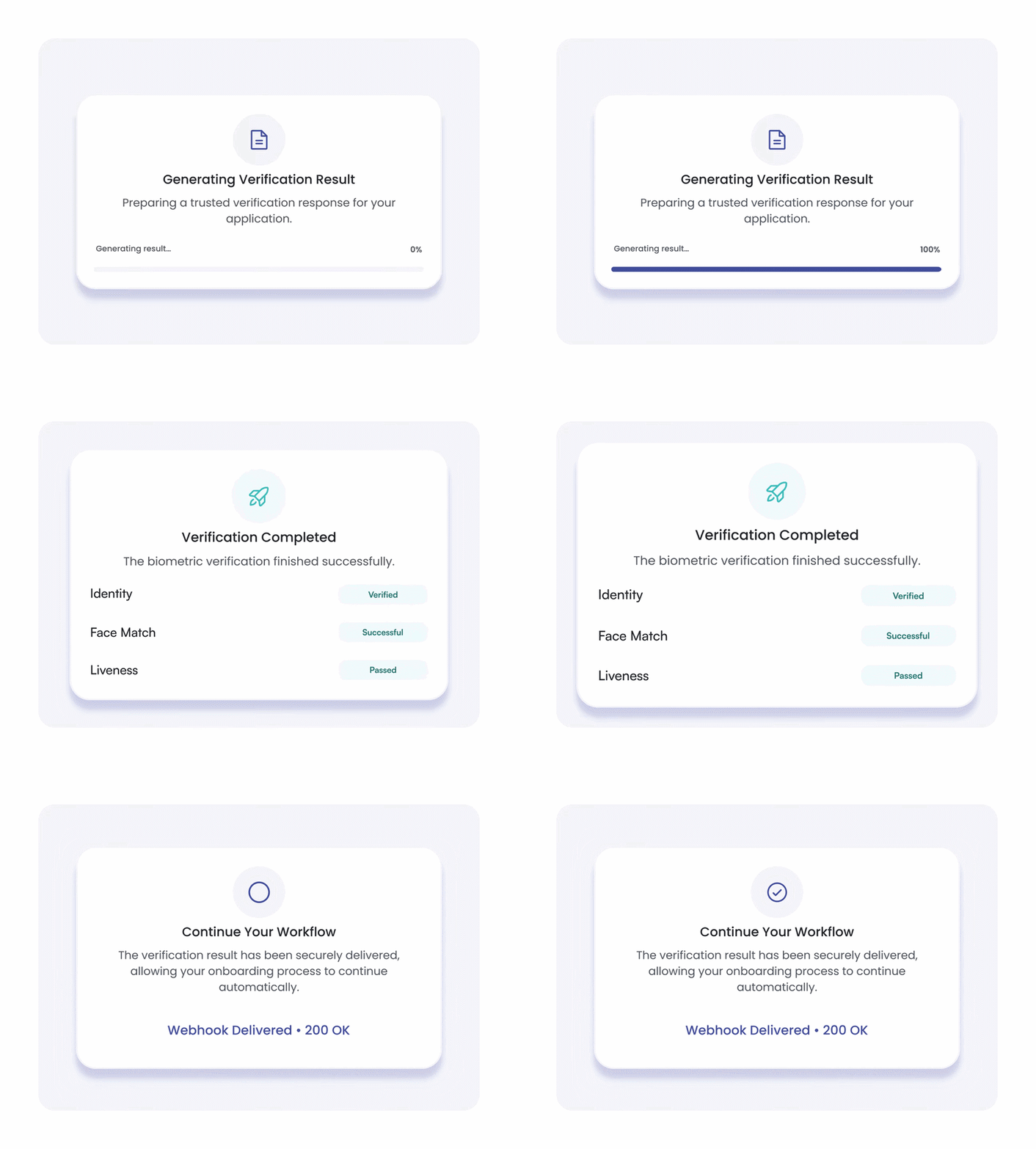
Why Choose okID for
Biometric Face Recognition
Connect okID’s face verification service with the document, liveness, workflow, and result controls required for practical business verification.

Multi-Layer Identity Checks
Combine document verification, face matching, and liveness within one connected customer journey.

Active or Passive Liveness
Choose the liveness method that fits the assurance and user-experience needs of the verification flow.

Cross-Device Completion
Let users complete the journey with a desktop
camera or continue securely on a mobile device.

Configurable Verification Flows
Configure modules, device behavior, retention periods, and result-delivery settings for each API key.

Actionable Verification Results
Receive verified, rejected, or manual-review
outcomes that your systems and operational teams can process.

Backed by Bluem
Build on a platform from the makers of Bluem, with ISAE 3402 assurance and identity verification experience at scale.
Multi-Layer Identity Checks
Combine document verification, face matching, and liveness within one connected customer journey.
Active or Passive Liveness
Choose the liveness method that fits the assurance and user-experience needs of the verification flow.
Cross-Device Completion
Configurable Verification Flows
Actionable Verification Results
Receive verified, rejected, or manual-review outcomes that your systems and operational teams can process.
Backed by Bluem
Build on a platform from the makers of Bluem, with ISAE 3402 assurance and identity verification experience at scale.


Build the VerificationFlow You Need
Bring the right checks together in one flexible flow, tailored to how your business verifies customers.
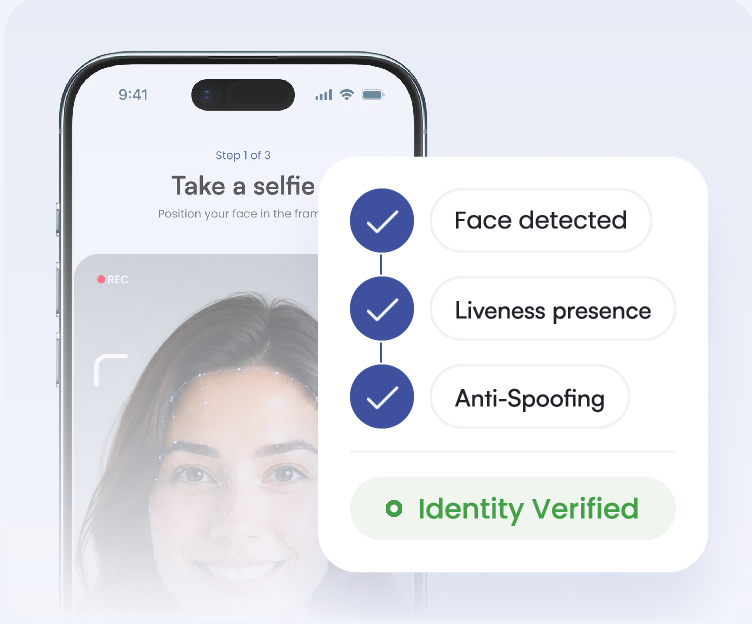
Face Liveness Detection
Checks whether a facial sample comes from a real person physically present, rather than a photo or replay.
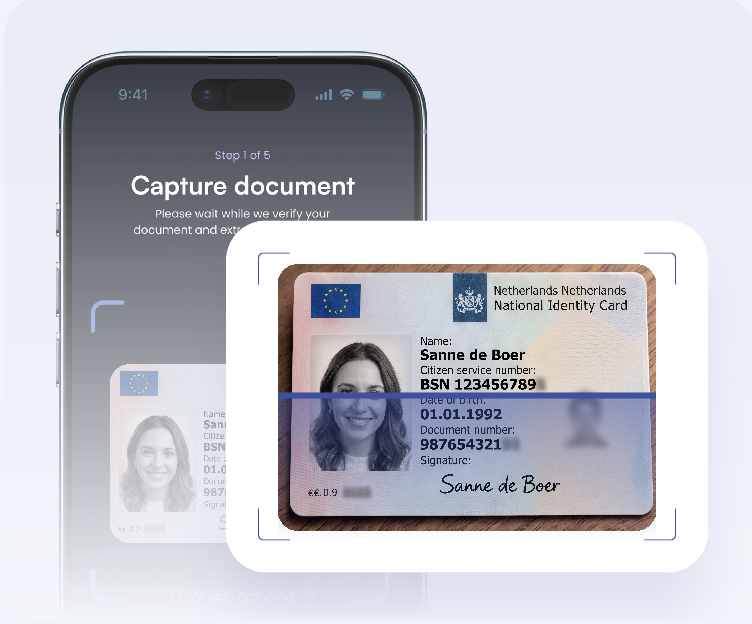
Document Verification
Captures and evaluates passports, ID cards, driving licences, and residence permits through layered document checks.
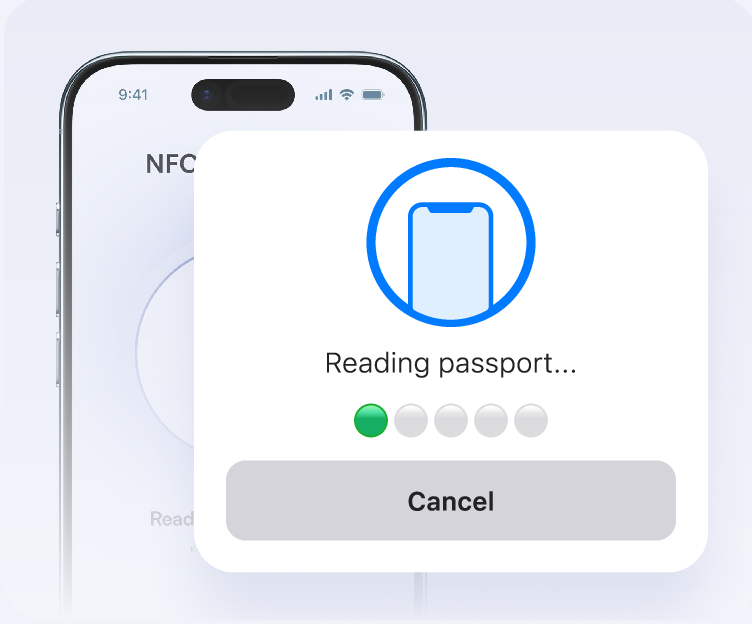
NFC Verification
Reads secure identity data from supported NFC-enabled passports and identity cards using a compatible mobile device.
Face Liveness Detection
Checks whether a facial sample comes from a real person physically present, rather than a photo or replay.
Document Verification
Captures and evaluates passports, ID cards, driving licences, and residence permits through layered document checks.
NFC Verification
Reads secure identity data from supported NFC-enabled passports and identity cards using a compatible mobile device.
Adapt Face Recognition to Your Workflow
Configure each API key around the checks, capture journey, data controls, and result-delivery requirements of a specific customer process.
Configure face verification around each customer journey.
 Verification ModulesCombine the required checks.
 Document verification
 Active or passive liveness
 Face matching
 Optional customer forms
Enable the verification modules needed for the journey and control how they work together.
Capture OptionsGuide the capture journey.
 Modal or iframe
 Direct redirect
 QR mobile handoff
 Mobile-only flow
Control how users enter and complete verification across desktop and mobile environments.
 Data ControlsControl stored verification data.
 Retention period
 Explicit consent
 Data minimization
 Sensitive-data redaction
Set how long verification data remains available and which sensitive document elements are retained.
 API SettingsConnect results to your systems.
 Server-side API keys
 Webhook notifications
 Custom metadata
 Result retrieval
Deliver completed verification results to internal systems with the context needed for automated or manual follow-up.
Protect Biometric Data Responsibly
Biometric verification involves sensitive personal data. okID supports secure key handling, protected API communication, configurable retention, explicit consent, data redaction, and server-side result validation.






Where Biometric Face Recognition Helps
Use biometric face verification when your business needs to confirm that the person behind the screen matches the identity being presented.

Financial Services
Match applicants with their identity documents during remote onboarding for banking, fintech, insurance, brokerage, and related financial services.


Crypto & Trading Platforms
Confirm identity during account opening and before higher-risk actions such as withdrawals or account-detail changes.

Marketplaces Seller Verification
Verify the person behind a seller or service-provider account before granting access to marketplace activity.

Travel and Hospitality
Support remote guest or passenger verification before check-in, account access, or other identity-dependent services.
Financial Services
Match applicants with their identity documents during remote onboarding for banking, fintech, insurance, brokerage, and related financial services.
Crypto & Trading Platforms
Confirm identity during account opening and before higher-risk actions such as withdrawals or account-detail changes.
Marketplaces Seller Verification
Verify the person behind a seller or service-provider account before granting access to marketplace activity.
Travel and Hospitality
Support remote guest or passenger verification before check-in, account access, or other identity-dependent services.
Where Biometric Face Recognition Helps
Use biometric face verification when your business needs to confirm that the person behind the screen matches the identity being presented.

What It Brings To Customers

Questions About Biometric
Face Recognition
Find answers to the most common questions about Biometric Face Verification before you add it to your workflow.
Still have a question? Ask a Question
How Is Biometric Face Recognition Different from Liveness Detection?
Biometric face recognition compares a live facial image with a trusted reference, such as the portrait on an identity document. Liveness detection performs a separate check to determine whether a real person is present during the verification session.
Does Biometric Face Recognition Replace
Document Verification?
No. Biometric face recognition checks whether the user’s live facial image matches the portrait on the submitted identity document. Document verification separately evaluates the document, its authenticity signals, and its extracted information.
Can Biometric Face Recognition Detect
Deepfakes and Spoofing?
Face matching should not be used alone to detect deepfakes or spoofing attempts. Active or passive liveness detection adds a separate presence check, while other fraud and verification signals support the final decision.
How Is the okID Biometric Face Recognition API Integrated?
Create a verification ID securely on your server and open the hosted verification journey through a modal, iframe, browser redirect, or mobile flow. Completed results can then be retrieved through the API or delivered through a configured webhook.
Can okID Biometric Face Recognition Run on Desktop and Mobile?
Yes. Users can complete the verification with a desktop camera, move to a mobile device through a QR code journey, or use a mobile-only flow configured for the API key.
How Does okID Handle Manual Review
Results?
okID returns a manual_review status when a verification requires human assessment. Your team can route this outcome into its existing review process before making the final decision.
Which Biometric Face Recognition Results Are Returned?
The final verification status can be verified, rejected, or manual_review. Depending on the configured workflow, the response may also include the verification ID, module results, exported data, custom metadata, and return URL.
How Long Is Biometric Data Retained?
The retention period can be configured for each API key. The selected period should reflect the purpose of the verification, applicable legal requirements, and the organization’s data-minimization policy.
Confirm Identity with Biometric Face Recognition
See how okID uses biometric face recognition to compare a live facial image with the portrait on an identity document, apply liveness checks, and return structured results to your verification workflow.
Configurable biometric identity workflows with secure server-side integration and review-ready results.